DHCP Analysis
A case study on how a client obtains network configuration through DHCP and why that process matters when a device cannot get online.
Overview
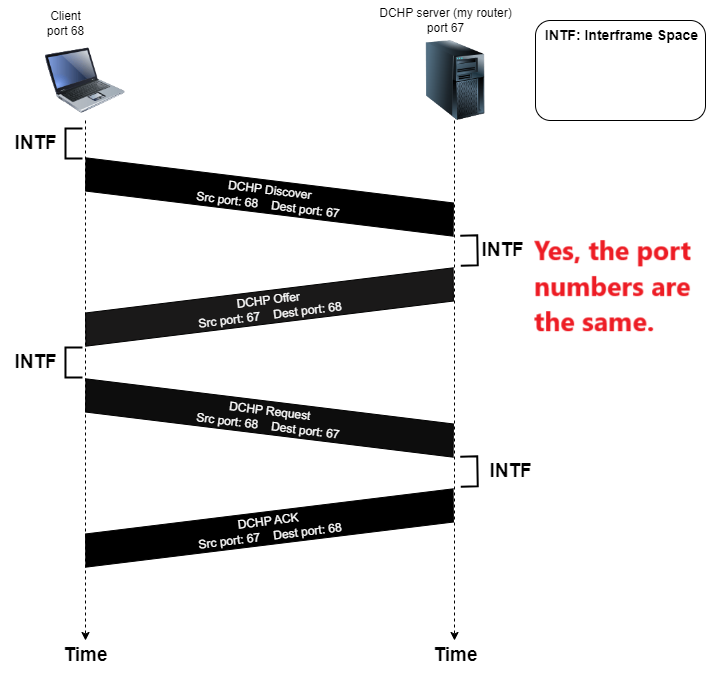
The capture shows DHCP messages exchanged between a client and a local DHCP server/router. The key behavior is the Discover, Offer, Request, and ACK sequence that assigns usable IP configuration to the client.
Objective
Trace the DHCP address assignment workflow, identify the transport ports and broadcast behavior, and connect DHCP fields to common connectivity failures.
Environment / Scenario
What I Investigated
- The four-message DHCP assignment flow.
- UDP source and destination ports used by DHCP clients and servers.
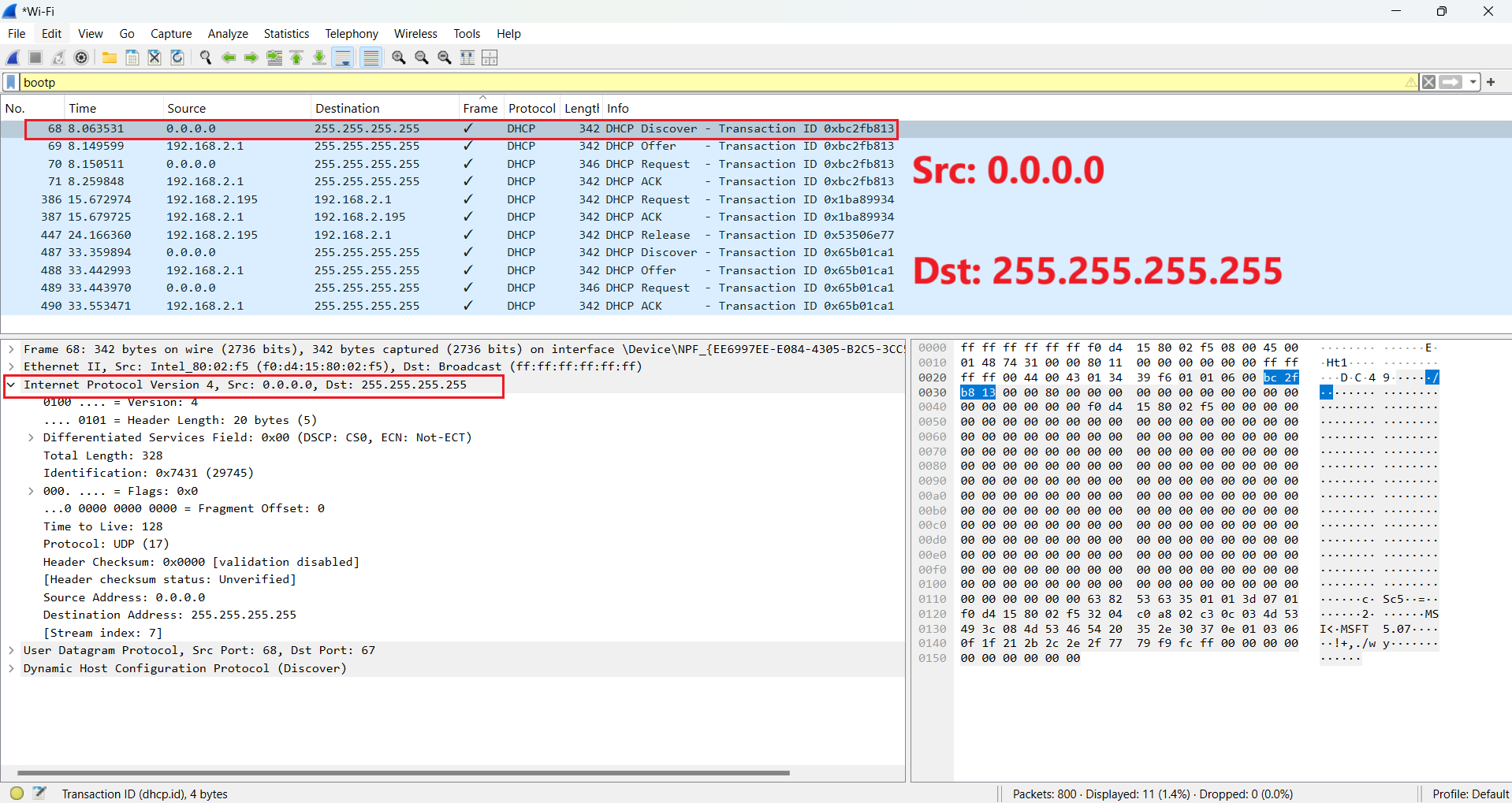
- Why early DHCP messages use 0.0.0.0 and 255.255.255.255.
- The offered client address, transaction ID, lease behavior, router option, and subnet mask.
Key Observations
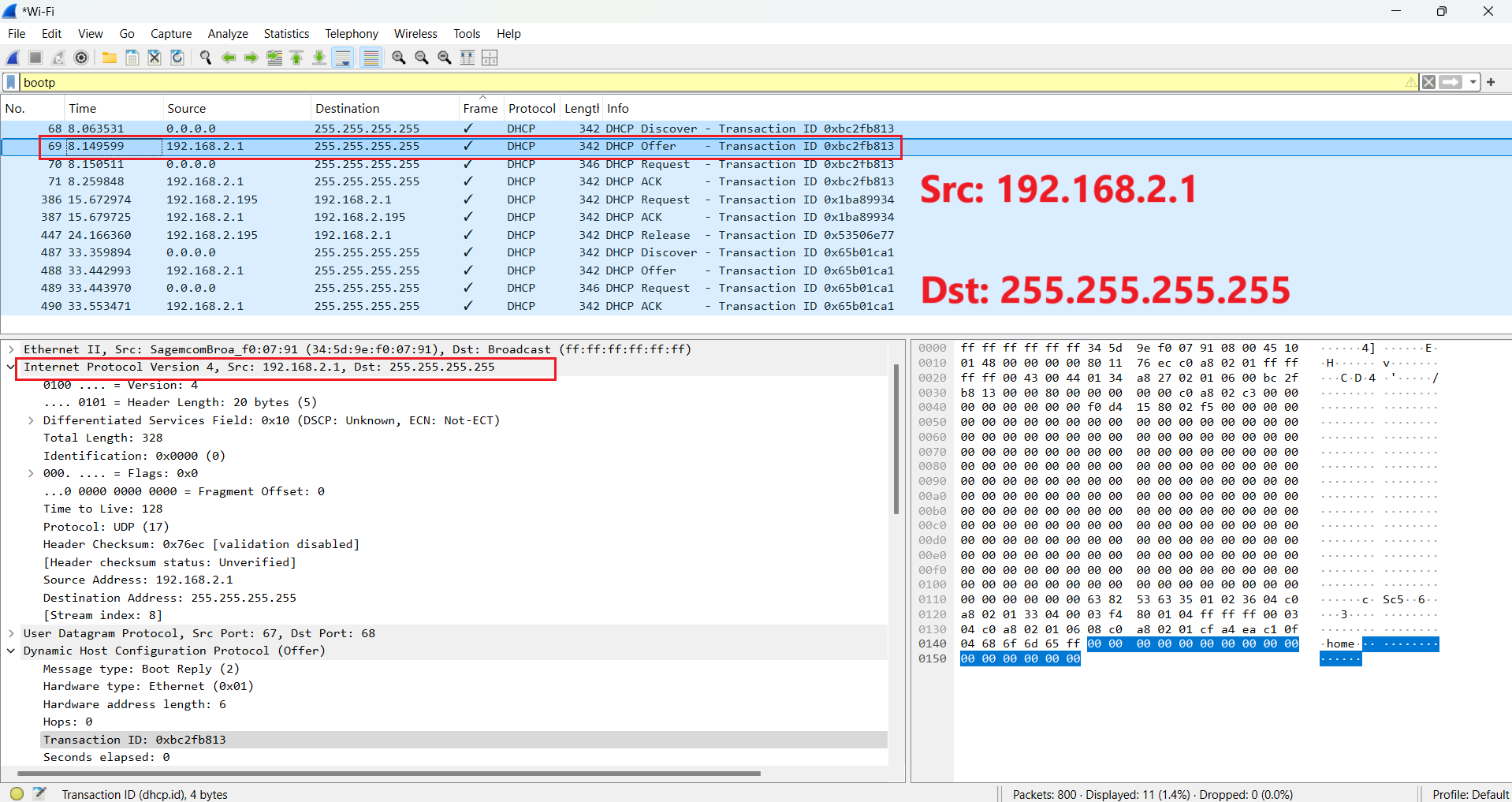
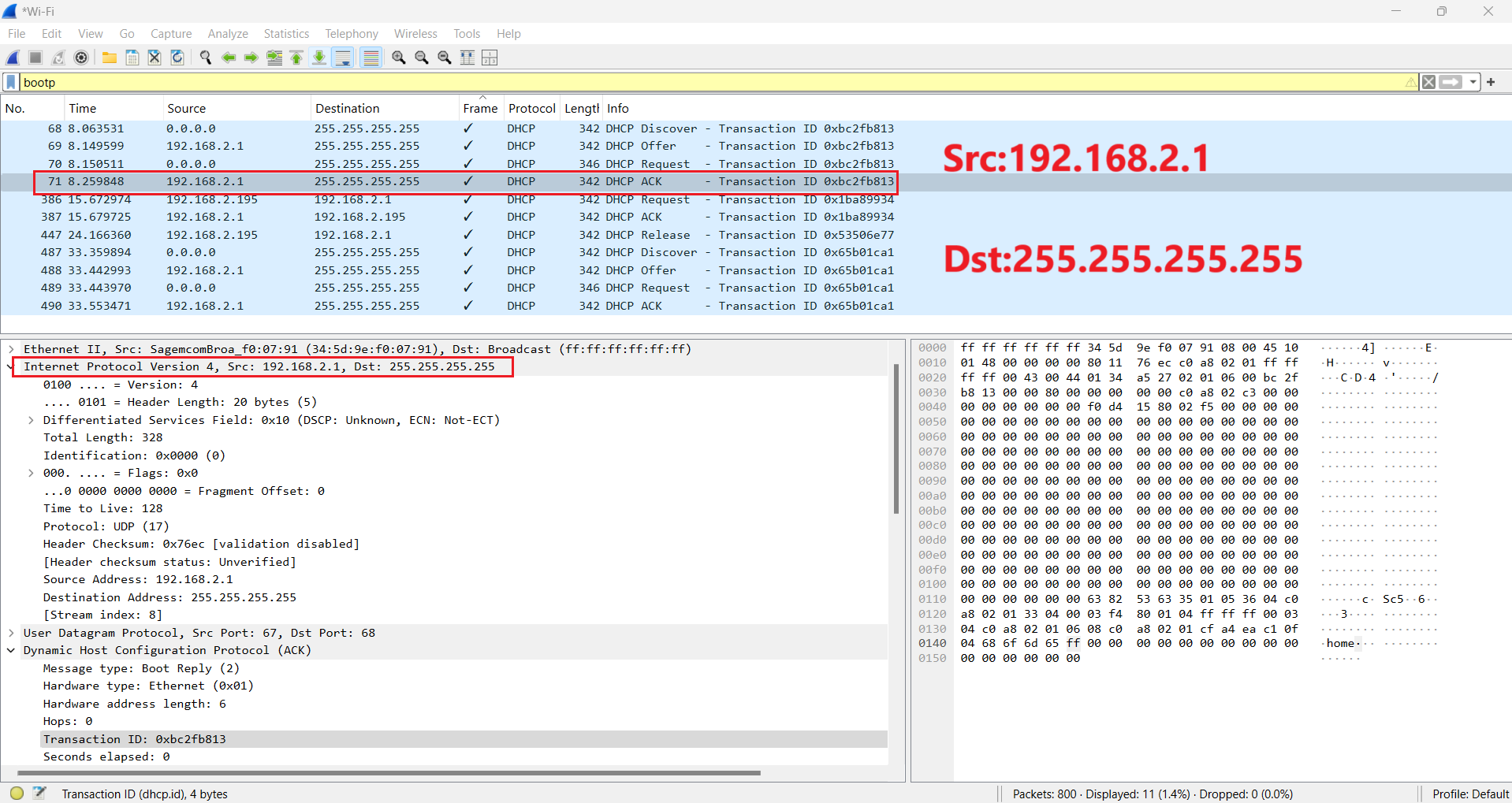
- DHCP uses UDP, with the client using port 68 and the server using port 67.
- The initial Discover message uses source IP 0.0.0.0 because the client has not yet been assigned an address.
- Broadcast destination 255.255.255.255 is used while the client is still being configured.
- The server offers 192.168.2.195, and the same transaction ID ties the first Discover/Offer/Request/ACK exchange together.
- Router and subnet mask options are important because they tell the client how to reach local and off-subnet destinations.
Annotated Screenshots
Why It Matters for Troubleshooting
DHCP failures are a common reason devices cannot join a network. If a client sends Discover messages but receives no Offer, the issue may involve server availability, VLAN scope, wireless isolation, relay configuration, or filtering. If the client receives an Offer but does not complete the exchange, the issue may involve address conflicts, lease handling, or client-side configuration.
Key Takeaways
- DHCP turns a device with no usable IP address into a configured network participant.
- Transaction IDs help match client requests with server responses.
- Router, subnet mask, and lease options are as important as the assigned IP address.