NAT Traffic Analysis
A comparison of inside and outside packet captures showing how NAT rewrites headers while preserving application-layer content.
Overview
The NAT lab used two captures of the same HTTP exchange: one from the private LAN side and one from the outside-facing side of the NAT router. Comparing the two views shows which fields are translated and which remain stable.
Objective
Identify the inside client, compare the translated outside address, inspect TCP port behavior, and verify whether HTTP content changes during NAT traversal.
Environment / Scenario
What I Investigated
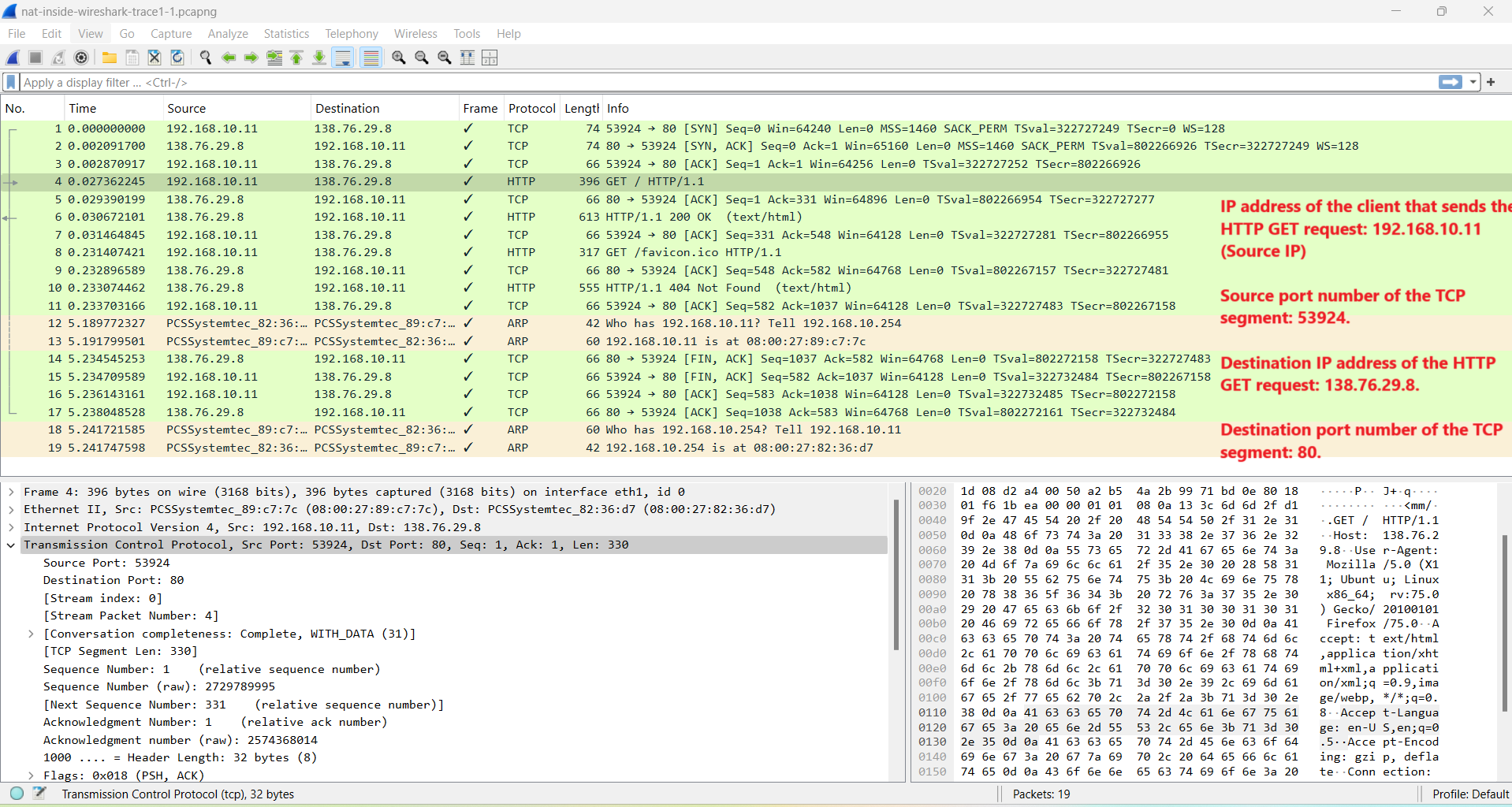
- The HTTP GET as seen before NAT on the inside interface.
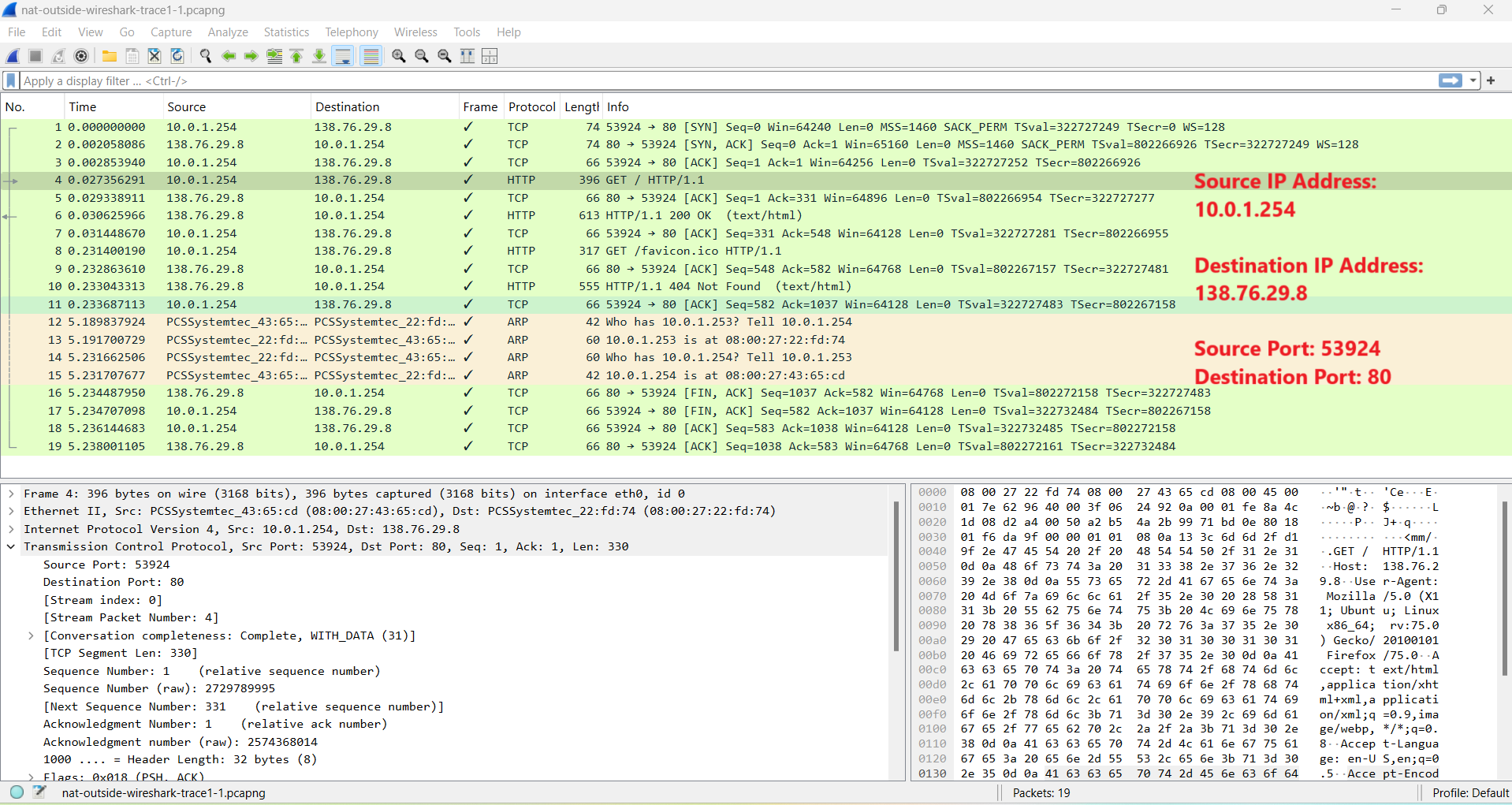
- The same HTTP GET after translation on the outside interface.
- Which IP and TCP fields changed across the NAT boundary.
- Whether the HTTP request payload changed during translation.
Key Observations
- Inside the LAN, the client source IP is 192.168.10.11 and the destination is 138.76.29.8.
- Outside the NAT router, the source IP is translated to 10.0.1.254 while the destination remains 138.76.29.8.
- The TCP source port shown in the selected exchange remains 53924 and the destination port remains 80.
- The HTTP GET content remains visible and unchanged across the inside and outside captures.
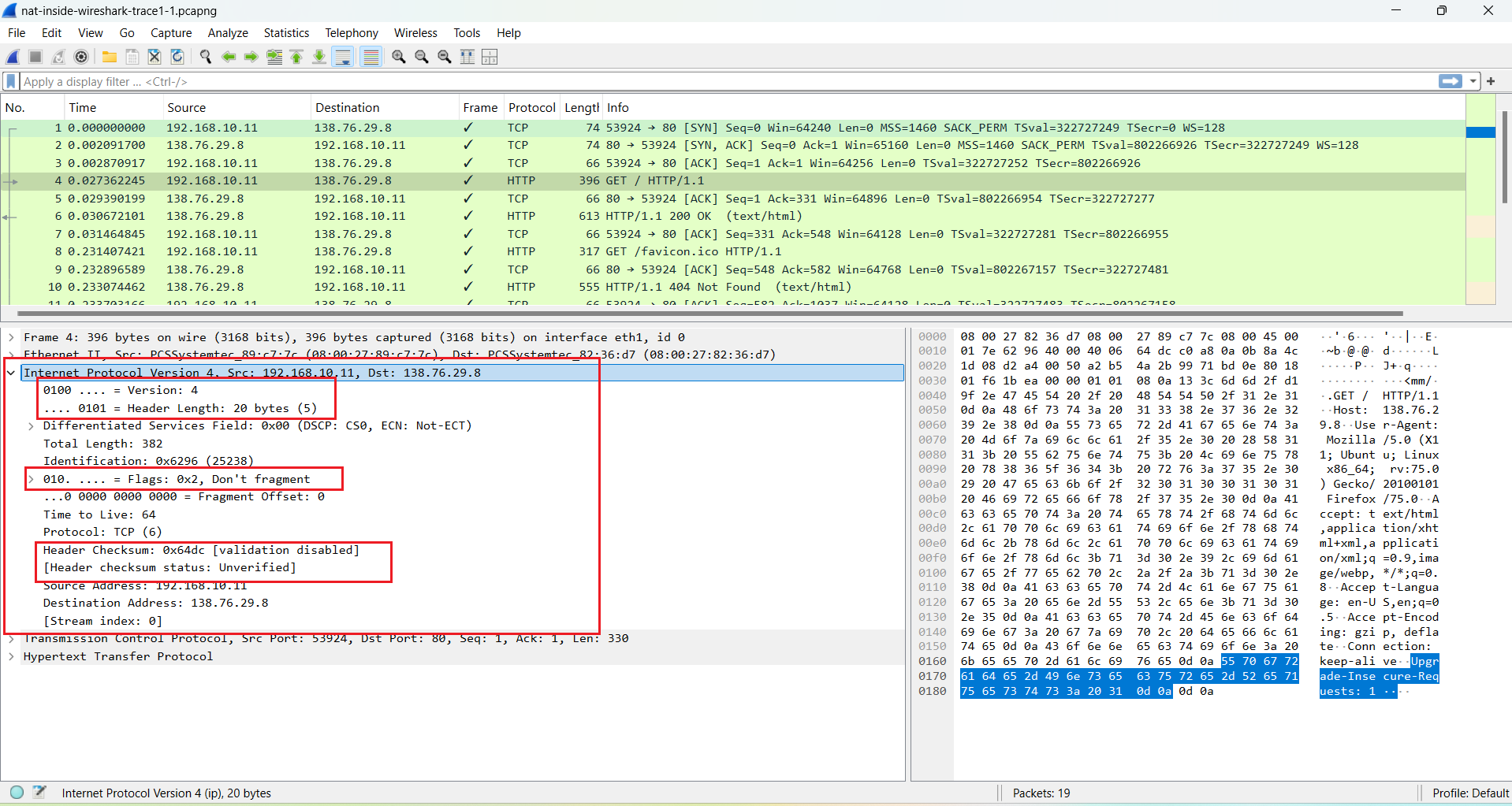
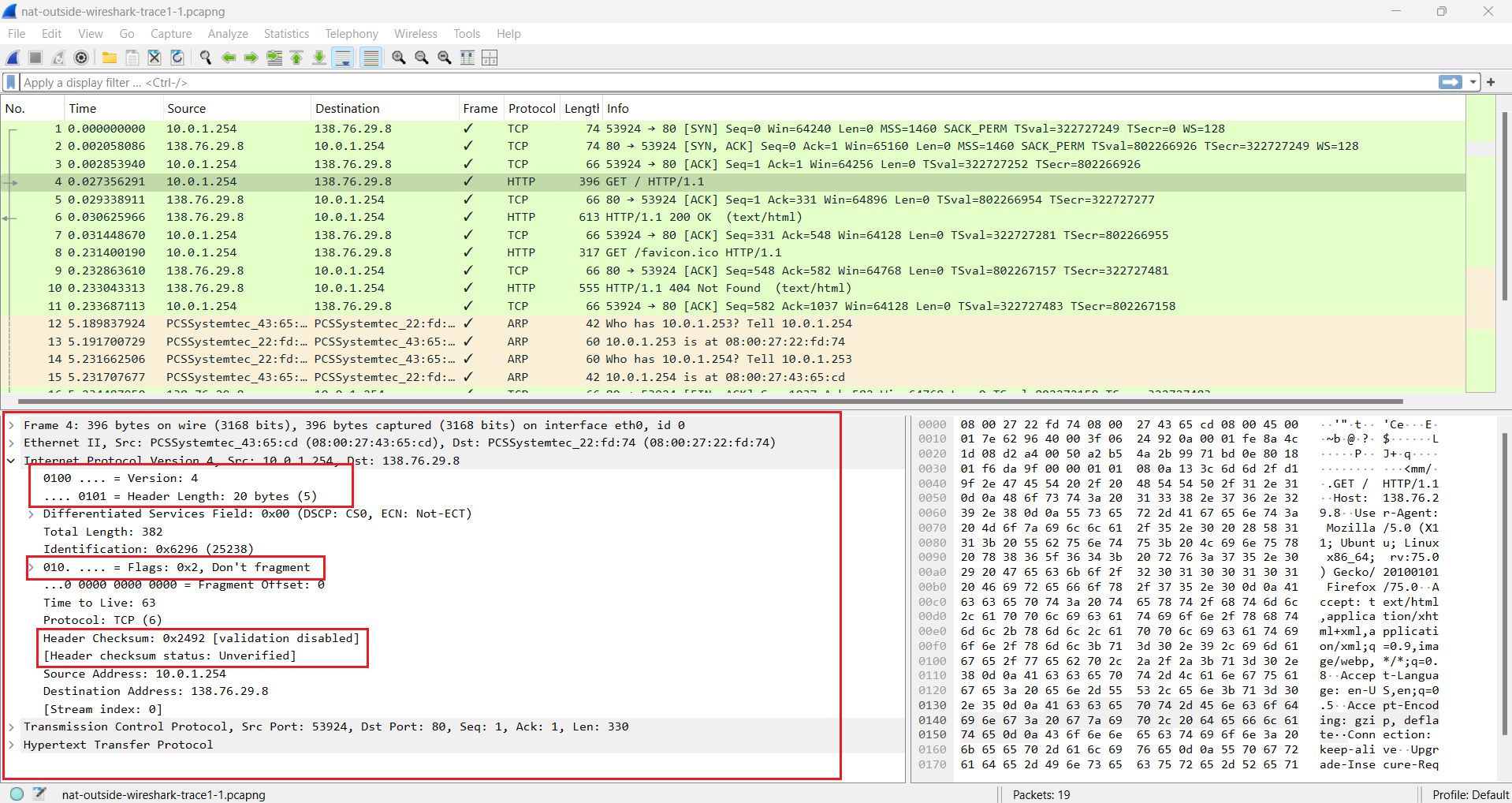
- The IP header checksum changes because NAT modifies the source IP address and the checksum must be recalculated.
- IP version, header length, and flags remain unchanged in the compared frames.
Annotated Screenshots
Why It Matters for Troubleshooting
NAT can make a connection look different depending on where the capture is taken. Comparing inside and outside views helps confirm whether traffic is being translated correctly, whether replies can map back to the original client, and whether the failure is caused by addressing, ports, routing, filtering, or the application itself.
Key Takeaways
- NAT changes network-layer addressing and may change transport-layer ports depending on the mapping.
- Application-layer content can remain unchanged even when translated headers and checksums change.
- Inside/outside capture comparison is a practical way to validate NAT behavior.