HTTP Analysis
A case study on how web requests and responses appear in Wireshark, including HTTP versioning, cache validation, status codes, and TCP segmentation.
Overview
The HTTP lab traces browser requests to a web server and the server responses that follow. The captures show plain HTTP traffic, making request headers, response codes, and content-transfer behavior visible in Wireshark.
Objective
Inspect HTTP request and response flow, identify status codes and headers, observe conditional requests, and connect application traffic to the TCP segments that carry it.
Environment / Scenario
What I Investigated
- HTTP GET requests and matching server responses.
- Headers visible in packet details and raw packet bytes.
- Conditional GET behavior using If-Modified-Since.
- How a larger HTTP response is carried by multiple TCP segments.
Key Observations
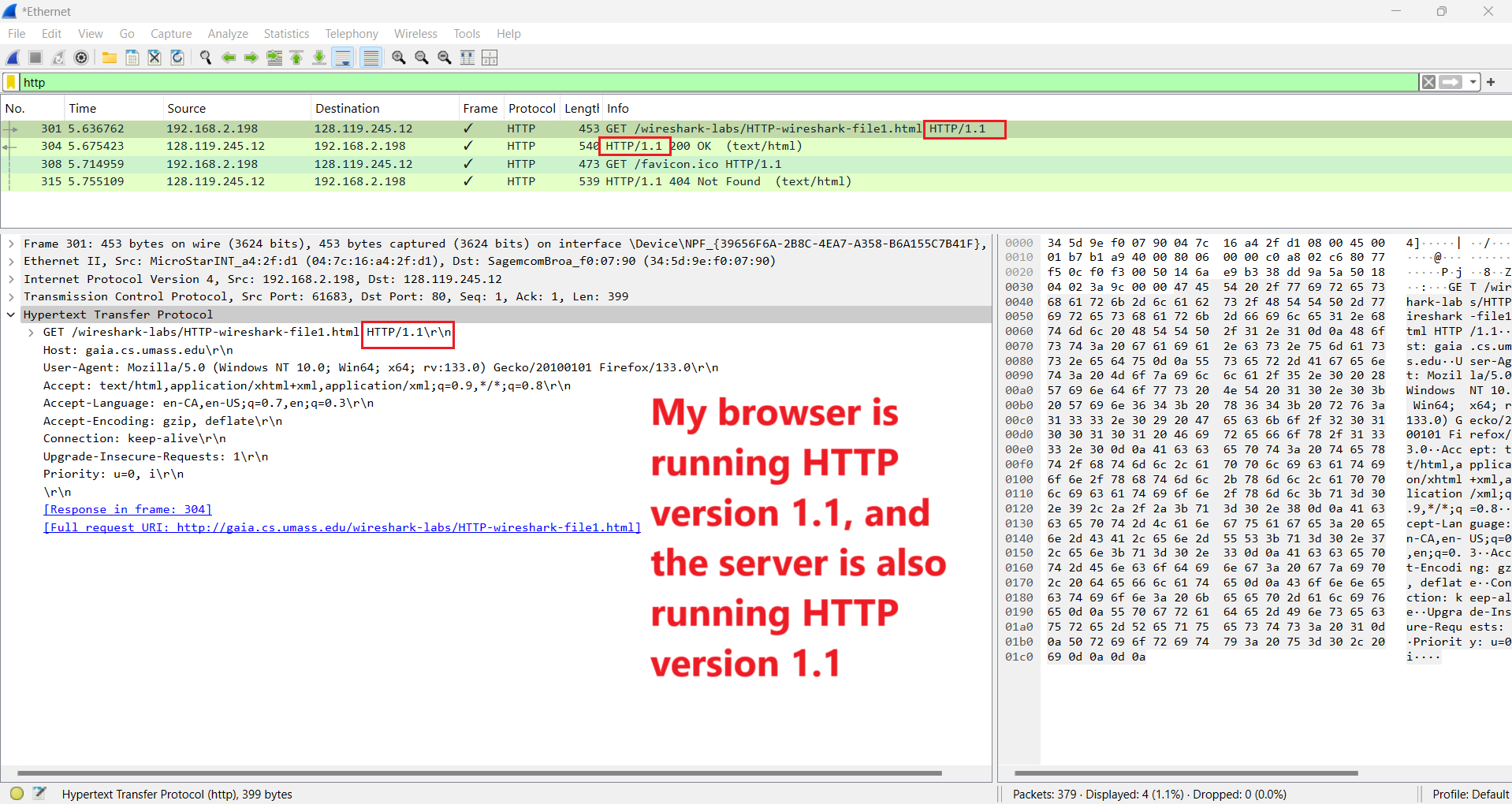
- The browser and server used HTTP/1.1 in the selected request and response.
- The first successful response returned HTTP 200 OK and content to the browser.
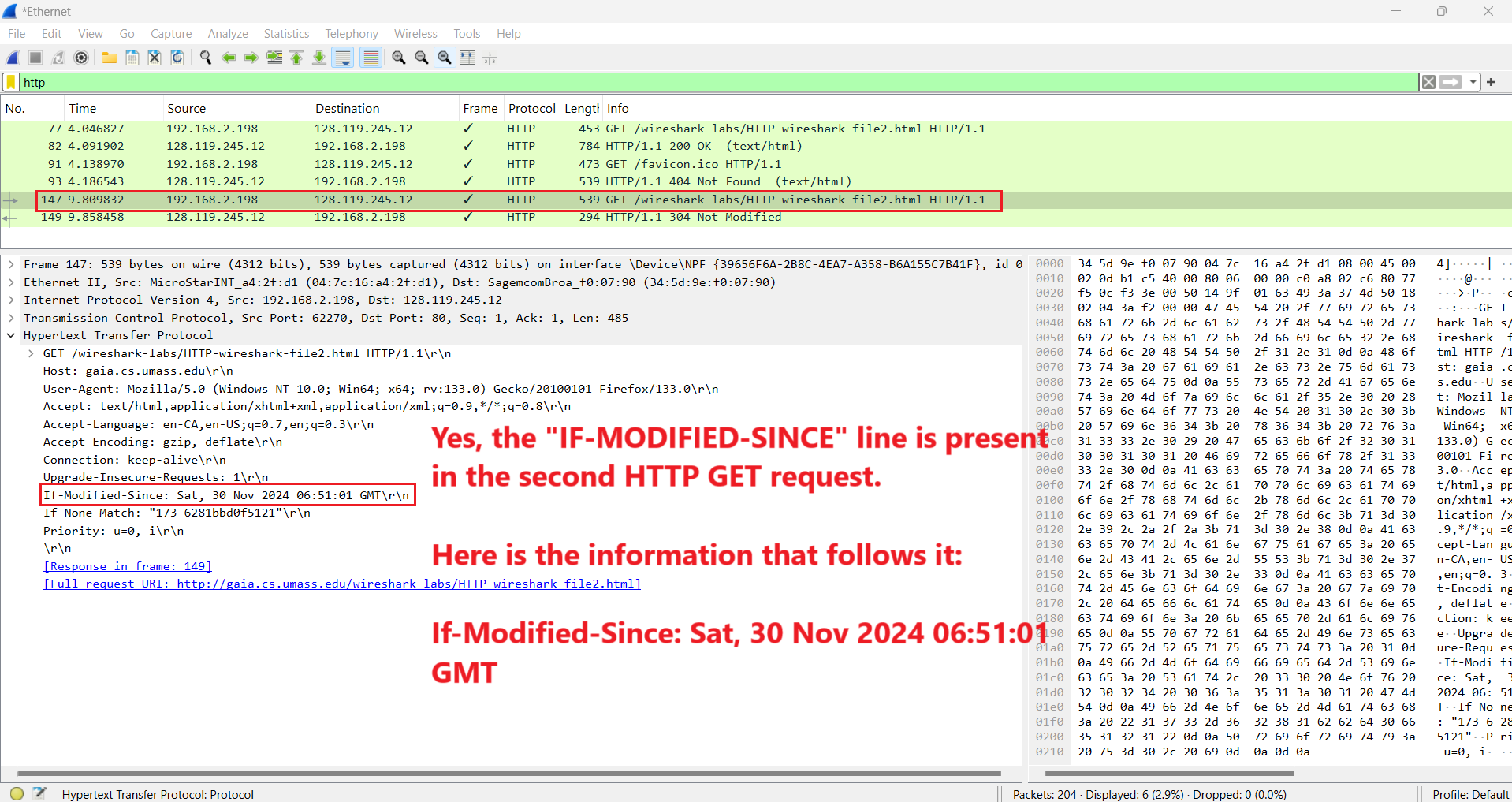
- A later conditional GET included If-Modified-Since, allowing the server to validate cached content.
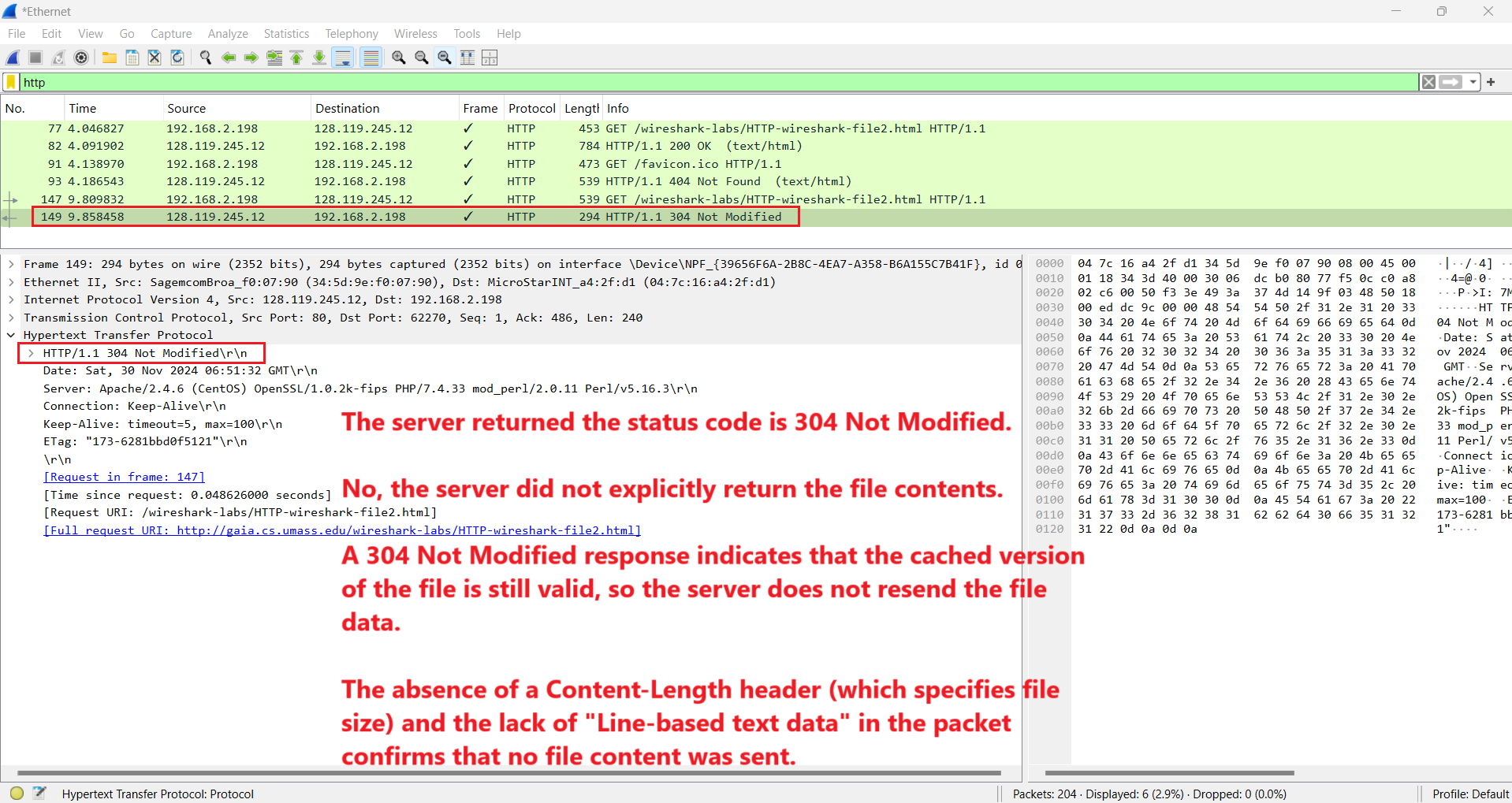
- The server replied 304 Not Modified for the conditional request, meaning the cached copy was still valid and the file body did not need to be resent.
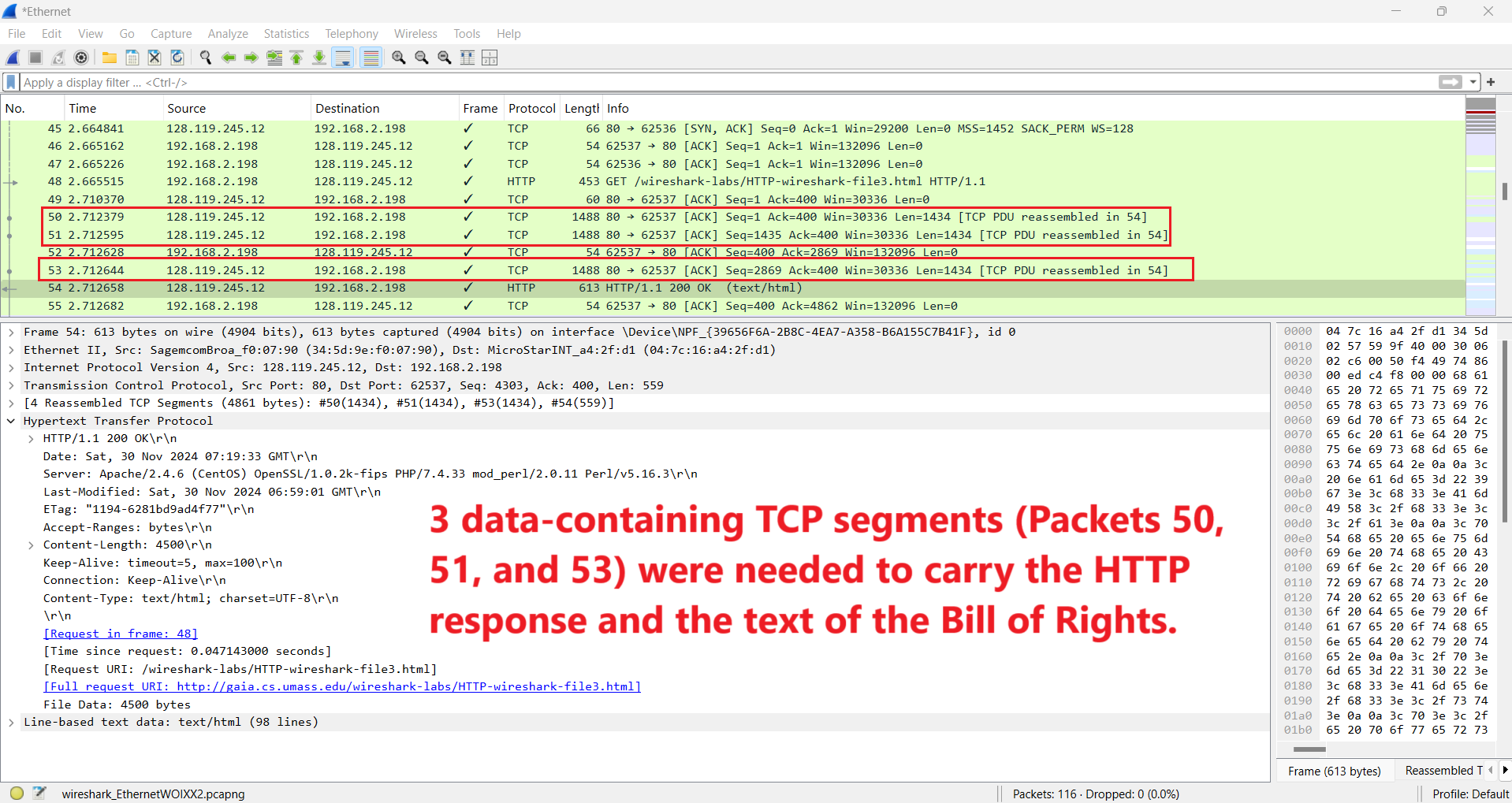
- A larger HTTP response was reassembled from multiple TCP segments, showing how application data is delivered over the transport layer.
Annotated Screenshots
Why It Matters for Troubleshooting
HTTP analysis helps distinguish server-side responses, cache behavior, missing content, and transport delivery. In real support work, status codes and headers can explain whether a browser issue is caused by the server, the cache, the requested resource, or the network path below HTTP.
Key Takeaways
- HTTP headers and status codes provide direct evidence about web application behavior.
- Conditional requests reduce unnecessary content transfer when cached data is still valid.
- HTTP sits on top of TCP, so larger responses may require multiple TCP segments.