TCP Analysis
A study of TCP connection setup, data transfer, acknowledgments, retransmission checks, and sequence-number behavior during an HTTP file upload.
Overview
The capture follows a TCP connection between a local client and gaia.cs.umass.edu. The traffic includes connection setup, an HTTP POST carrying file data, ACK behavior, and a sequence graph that shows how bytes move over time.
Objective
Use Wireshark to connect TCP header fields with reliable delivery behavior: SYN setup, sequence numbers, ACKs, segment sizes, RTT estimates, retransmission indicators, and flow behavior.
Environment / Scenario
What I Investigated
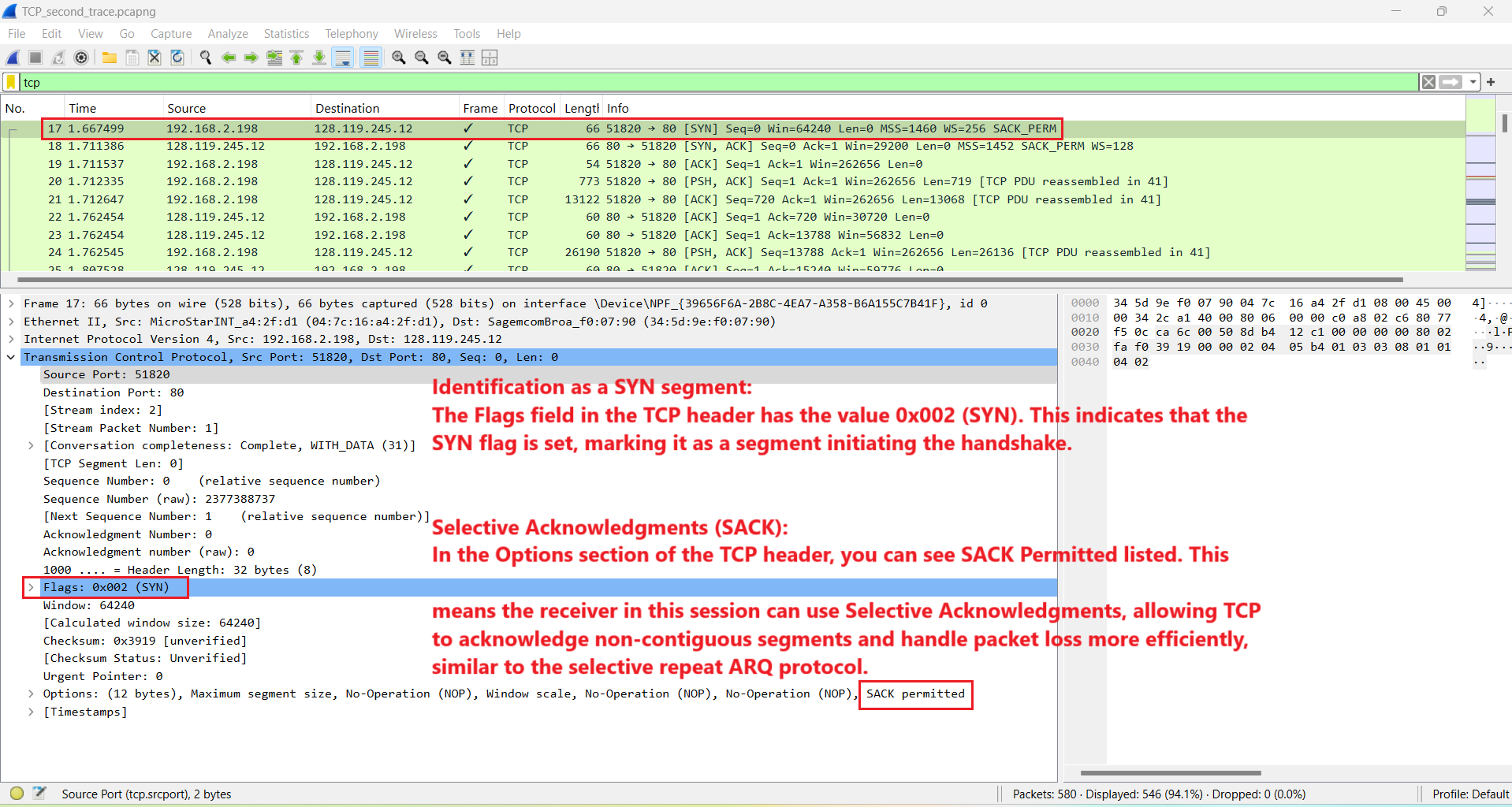
- How the SYN flag starts a TCP connection and advertises options such as SACK permitted.
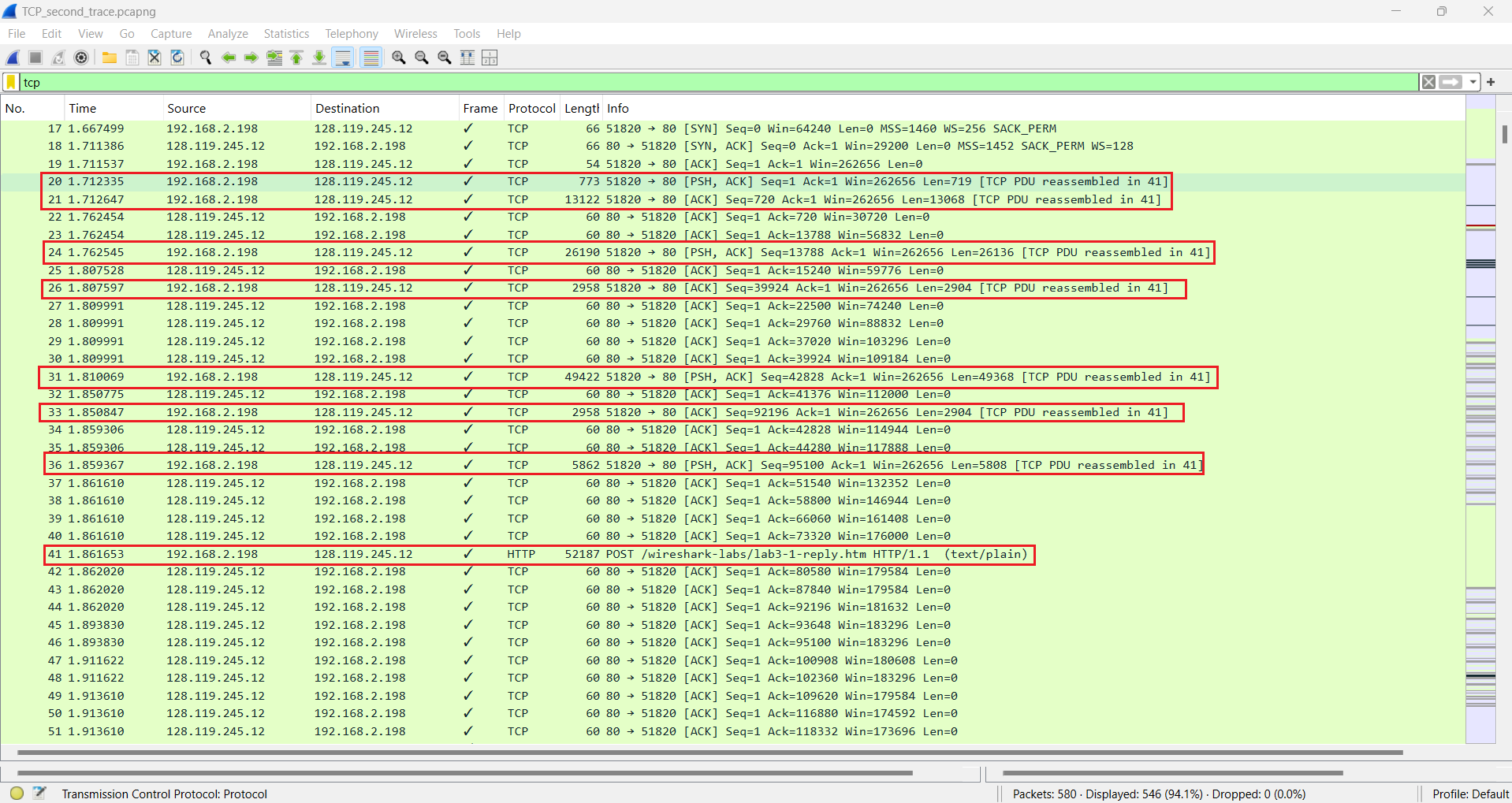
- How the HTTP POST and file content are split across multiple TCP segments.
- How ACKs confirm received byte ranges and support reliable delivery.
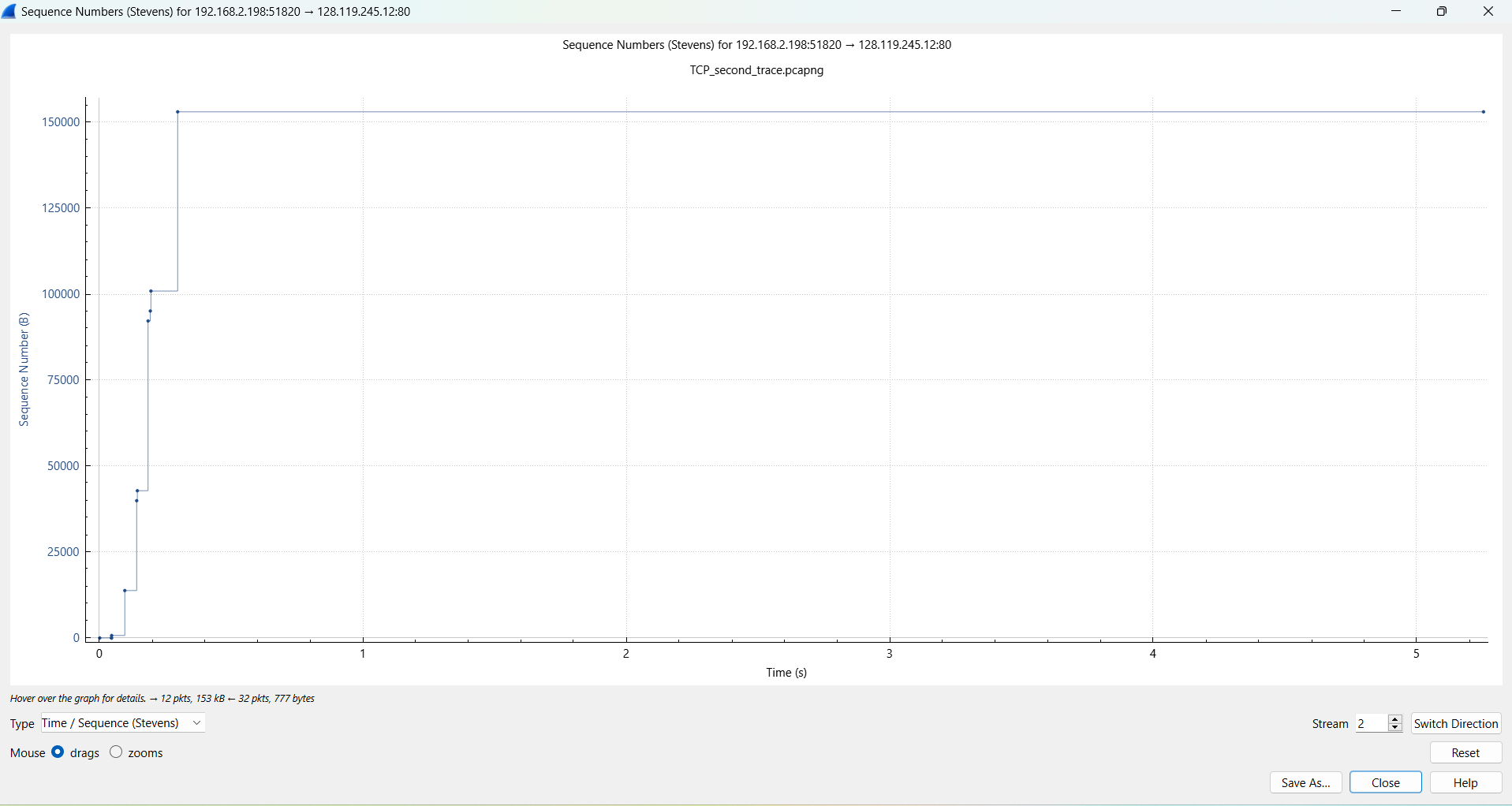
- Whether retransmissions appeared in the trace and how the sequence graph reflects send behavior.
Key Observations
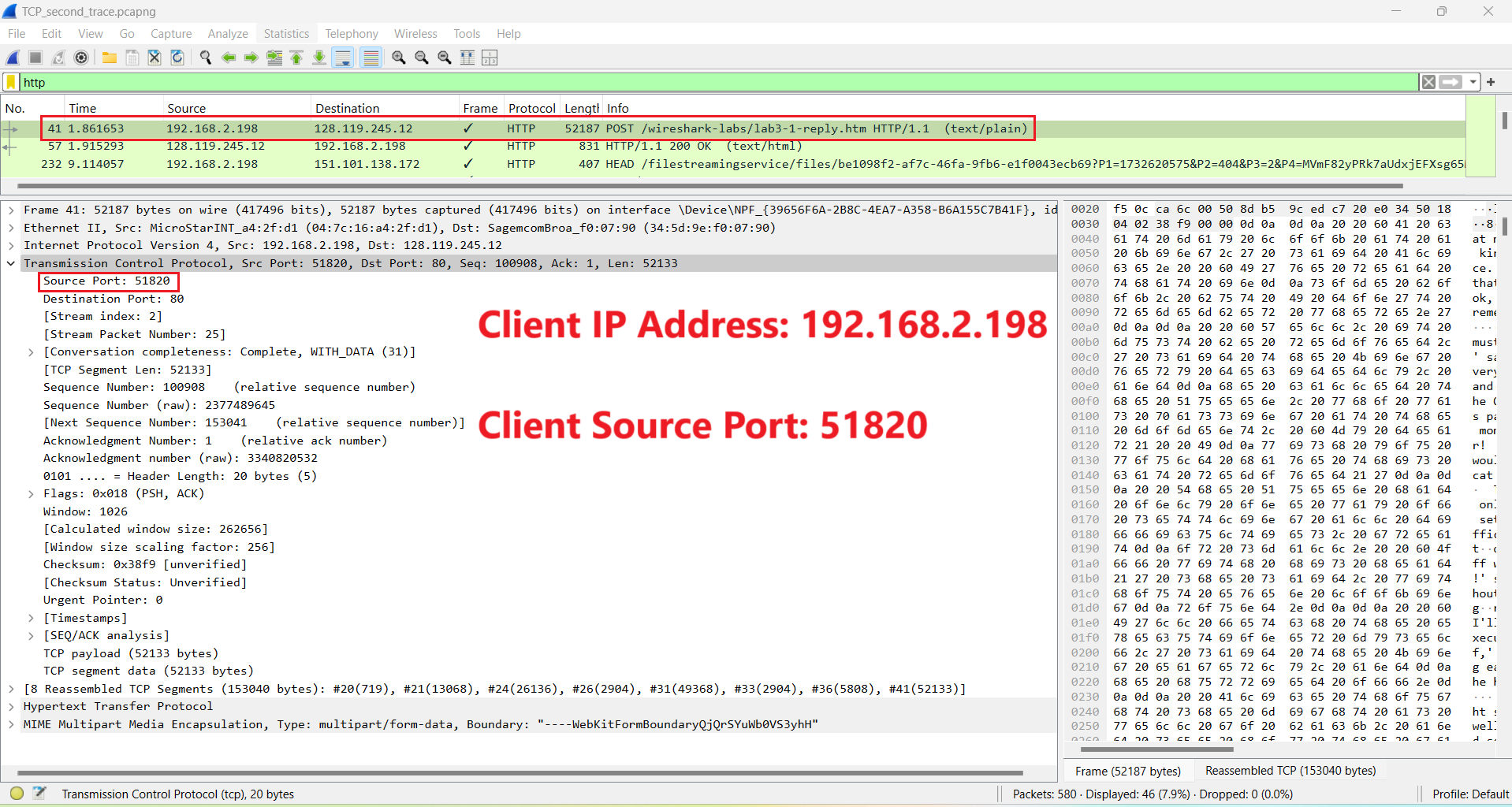
- The client connection uses local address 192.168.2.198 and source port 51820 toward server port 80.
- The SYN segment begins the connection, and SACK-permitted support is visible in the TCP options.
- The POST payload does not fit into a single TCP segment; Wireshark reassembles multiple segments into the HTTP object.
- Early data-carrying segments were acknowledged quickly, with observed RTT values around 50 ms for the first two measured segments.
- The selected data flow did not show the highlighted POST segments being retransmitted, although retransmission analysis was checked separately in Wireshark.
Annotated Screenshots
Why It Matters for Troubleshooting
Slow or broken applications often come down to transport behavior: failed handshakes, retransmissions, packet loss, delayed acknowledgments, small receive windows, or stalled data transfer. TCP analysis gives support teams evidence for whether the problem is connection setup, reliability, congestion behavior, or the application above TCP.
Key Takeaways
- TCP reliability is visible through sequence numbers, ACKs, retransmission analysis, and reassembly.
- Application payloads are often split across several TCP segments.
- Sequence graphs help summarize transfer behavior that is hard to see packet by packet.